Password resets are one of those things most users never think about until they suddenly can’t sign in.
And when that happens, Self-Service Password Reset (SSPR) becomes the quickest way to get back to work without calling the helpdesk.
Microsoft recently announced a change to Self-Service Password Reset (SSPR) that many organizations could easily overlook. On the surface, it sounds like a backend authentication update. In reality, users who rely on profile-based contact information for password recovery may suddenly find that the password reset no longer works once the change is enforced.
Current Self-Service Password Reset Verification Process in Microsoft Entra
Right now, when a user initiates a self-service password reset, Entra has two sources it can pull from to verify their identity.
The first is directory-sourced contact information: basically, the phone number or email address sitting in the user’s profile properties in Entra ID. This could have been added by an admin, synced from on-premises AD, or populated during onboarding. The user may have never touched it themselves.
The second is registered authentication methods: phone numbers, email addresses, or authenticator apps that the user personally went in and registered through the My Security Info portal. They added it, they confirmed it, it’s tied to their account as an authentication method.
Today, SSPR accepts both. If there’s a phone number on the profile, SSPR will use it, registered or not. That’s the part that’s going away.
Microsoft Entra SSPR Changes Coming in September 2026
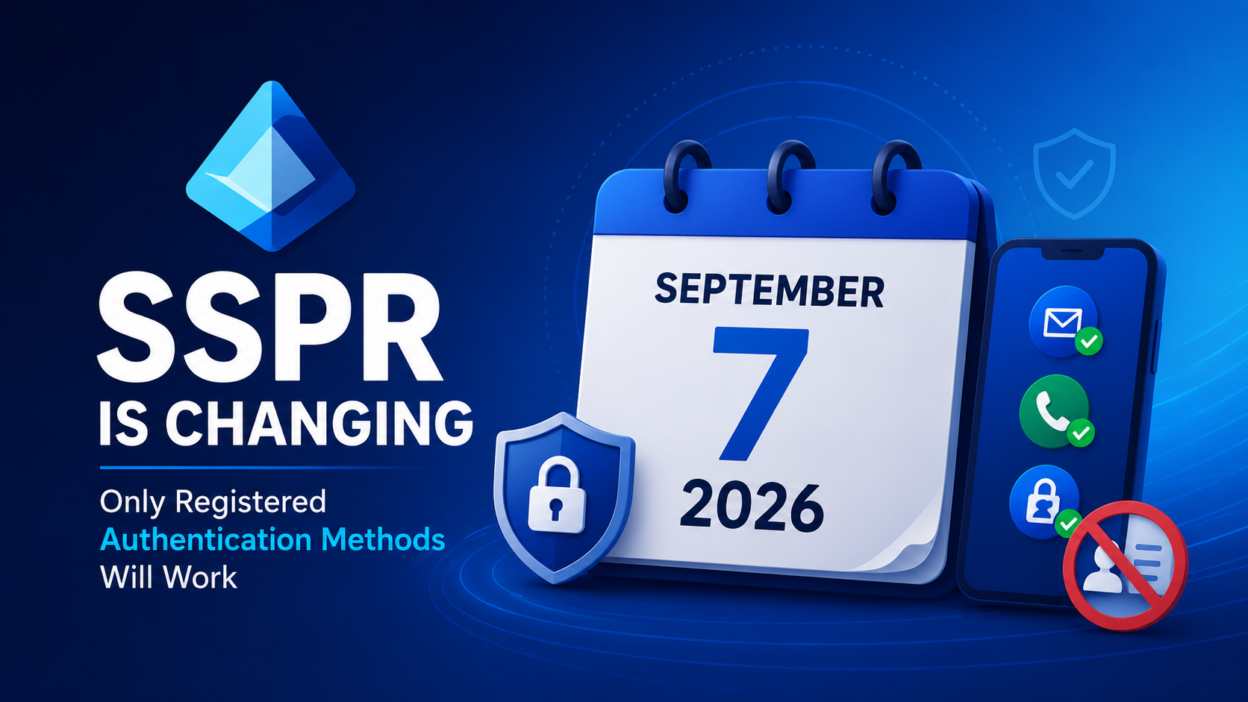
Starting September 7, 2026, SSPR will only accept authentication methods that users have personally registered. Directory-sourced contact info, no matter how accurate it is, will no longer be valid for identity verification during a password reset.
Same phone number, same email address, but if it lives only in the user’s profile and was never registered through the authentication registration process, SSPR will reject it.
This applies across the board: regular users, admins, all cloud environments: Public, GCC, GCC High, and DoD.
Security Benefits of Microsoft’s New SSPR Authentication Requirements
On the surface, a phone number in a user’s profile and a phone number registered for authentication might look like the same thing. In reality, Microsoft treats them very differently.
- Many organizations have phone numbers and email addresses that were added years ago during onboarding, synced from on-premises Active Directory, or entered by an administrator. Those details may still exist in the user’s profile, but that doesn’t necessarily mean they’re accurate, verified, or actively used by the user today.
- Authentication methods are different. They go through a dedicated registration process and are specifically intended for sign-in and account recovery scenarios. Microsoft considers these methods trusted because they’re tied directly to the user’s authentication experience.
By limiting SSPR to registered authentication methods, Microsoft is making password reset verification more reliable. Instead of relying on contact information that may simply exist in the directory, Entra will use methods that have been intentionally registered for identity verification.
From a security perspective, this helps reduce the risk of outdated or unverified contact information being used during password recovery.
From an administrative perspective, it creates a clearer separation between user profile data and authentication data, which ensures password reset decisions are based on information that users have actively registered and maintain.
The Helpful Part — Registration Campaign in Entra
Microsoft is providing a transition period before enforcement begins.
Beginning July 6, 2026, users who don’t have registered authentication methods will start seeing prompts after sign-in, encouraging them to complete authentication registration. The goal is simple: help users register recovery methods before SSPR begins enforcing the new requirement.
For many organizations, this will help reduce the number of users who are unprepared when the change takes effect. Users who register their phone number, email address, or other supported authentication methods in response to the prompt will continue to use SSPR without interruption.
However, administrators shouldn’t assume the registration campaign will solve the problem on its own!
The prompts are designed to encourage action, not enforce it. Users can postpone registration, dismiss the message, or simply ignore it. If those users reach September 7, 2026, without a registered authentication method, they may be unable to complete a self-service password reset when they need it most.
Think of the registration campaign as an early warning system rather than a complete solution. It helps raise awareness, but organizations should still actively monitor authentication method registrations and communicate the upcoming change to users.
The more users who complete registration before enforcement begins, the fewer password reset issues and helpdesk tickets you’ll have to deal with later.
Steps Administrators Should Take Before SSPR Enforcement Begins
The preparation work is relatively simple, but it should start well before the enforcement date.
- First, run a report on your users to see who has registered authentication methods and who hasn’t. In the Entra admin center, you can pull this from the Authentication Methods Activity report under Protection. Look specifically at who has zero registered methods — those are your at-risk users.
- Second, communicate proactively. Don’t wait for users to hit a failed reset and call the helpdesk. Send a heads-up now, let them know they need to register their methods at aka.ms/mysecurityinfo.
- Third, don’t exclude admins. This change applies to administrator accounts too. A failed password reset for a standard user creates a support ticket; a failed password reset for an administrator can create an operational problem.
Key Takeaways for Microsoft Entra Administrators
This isn’t a new authentication requirement. Microsoft is simply changing which methods are accepted for password recovery.
Until now, users could sometimes rely on phone numbers or email addresses stored in their Entra profile. Starting September 7, 2026, only registered authentication methods will be accepted for SSPR.
Most users won’t notice the change until they need to reset a password. That’s why administrators should use the time before enforcement to verify authentication registrations and identify users who haven’t registered any methods yet.
A little preparation now can prevent password reset failures and unnecessary helpdesk tickets later.