For years, the challenge with passwordless authentication in enterprise environments has not necessarily been the technology itself. The bigger obstacle has often been the registration journey.
The Previous MFA Registration Path in Microsoft Entra
Under the current model, a password-only user who wants to register a passkey, Windows Hello for Business, or macOS Platform SSO first has to configure SMS or voice as a fallback. Consider a new employee with an Entra account and no MFA registered yet. The onboarding path looked like this:
Password → SMS/Voice MFA → Passkey
The user established a weaker verification method first, then layered a stronger credential on top of it.
The problem here is architectural, not just inconvenient. An organization trying to move users toward phishing-resistant authentication was, by policy design, forced to introduce a phishable credential during onboarding and that credential typically stayed registered as a standing fallback, expanding the set of authentication paths administrators had to govern and monitor indefinitely.
Passkey as First Multifactor Authentication Method: The New Registration Flow
With this update, that dependency goes away.
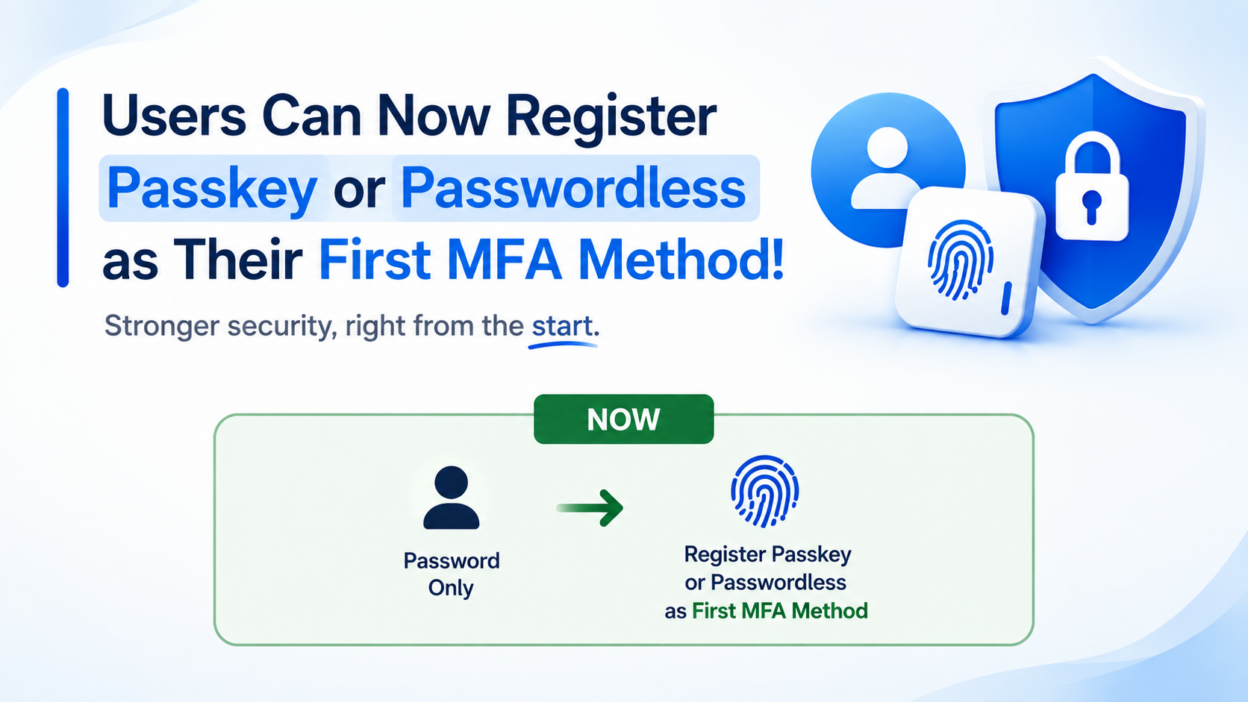
Password-only users will be able to register a passkey or passwordless sign-in directly as their first MFA method.
A supported passkey can now become a user’s first registered MFA method. The same principle extends to passwordless Microsoft Authenticator registration and, through later rollout phases, to Windows Hello for Business and macOS Platform SSO.
The new experience changes the registration path to:
Password → Passkey
This isn’t a new authentication protocol or a replacement for Conditional Access — Entra passkeys still run on FIDO2/WebAuthn public-key cryptography, with credentials either device-bound (such as a Windows Hello container backing an Entra passkey on Windows) or synced across devices through a supported passkey provider.
What actually changes is when a strong credential is allowed to enter a user’s authentication lifecycle: it no longer needs a weaker method to precede it in the registration sequence.
Rollout Timeline: Phase 1 and Phase 2
- Phase 1 — Synced passkeys, Microsoft Entra passkeys on Windows, and FIDO2 security keys. Worldwide and GCC availability begins mid-October 2026, with completion expected by mid-November 2026.
- Phase 2 — Windows Hello for Business, macOS Platform SSO, and Authenticator passwordless sign-in. Worldwide and GCC availability follows in early 2027.
This registration change is distinct from, but complementary to, the broader shift already underway where passkeys become the default authentication experience and Microsoft-provided SMS/voice delivery is retired.
Read together, the two changes form a coordinated sequence: one removes the registration bottleneck for users setting up MFA for the first time; the other removes the SMS/voice fallback entirely for the tenant as a whole.
Organizations planning their passkey rollout should treat these as related workstreams, not separate projects.
Implementation Checklist for Passkey-First MFA Registration
The real significance of this update is simple: the first MFA credential no longer has to be the weakest credential available.
Moving from password → SMS → passkey to password → passkey removes an unnecessary dependency from the identity lifecycle.
To take advantage of that before Phase 1 lands, a few things are worth doing now:
- Audit registration campaign configuration. If your tenant uses Microsoft-managed registration campaigns, confirm they’re tuned to nudge users toward passkeys rather than defaulting to whatever method appears first in the enrollment UI.
- Revisit Conditional Access for security info registration. If your organization requires step-up verification before allowing new method registration, update that policy to account for passkey-first flows rather than assuming an existing MFA method is already in place.
- Update onboarding documentation. New-hire and device-provisioning runbooks that reference SMS as a starting point need updating so IT and helpdesk teams aren’t giving outdated guidance mid-transition.
- Segment your password-only population. These users are the ones directly affected. Identifying them ahead of rollout lets you communicate proactively instead of reacting to helpdesk tickets afterward.
For organizations already running FIDO2 or Windows Hello for Business pilots, this update removes friction that has historically undermined adoption metrics — a genuine reduction in enrollment steps, not just a policy adjustment on paper.