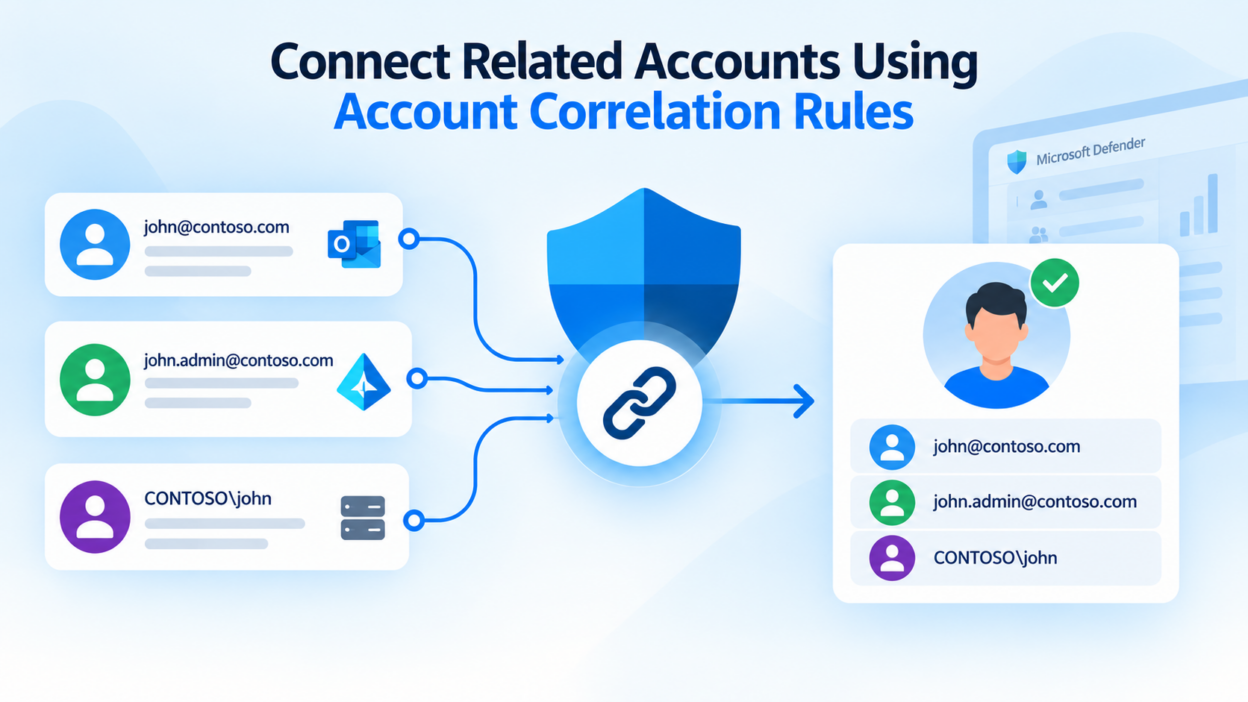
A single user identity rarely maps to just one account. Organizations commonly maintain separate accounts for standard and privileged access, retain legacy accounts after domain migrations, or manage user identities across multiple domains. While this separation is often intentional from an access-control perspective, it can make identity investigation more difficult when Defender cannot establish the relationship between those accounts.
Microsoft Defender for Identity can automatically correlate accounts when they share strong identifiers such as the account ID, SID, object ID, or UPN. However, these identifiers may not always be available or consistent, particularly in environments with established account-naming conventions. Custom account correlation rules become useful here.
By defining rules based on patterns such as UPN prefixes, suffixes, or domains, administrators can help Defender identify and associate related accounts that would otherwise appear as separate identities. This provides security teams with a more complete view of user activity and helps reduce the identity gaps that can complicate threat investigation and response.
The Need for Account Correlation Rules in Microsoft Defender
Consider an administrator who maintains separate accounts for standard and privileged activities:
- alex@contoso.com – Standard user account
- pa_alex@contoso.com – Privileged administrator account
Separating these accounts is a recommended security practice because privileged credentials should not be exposed to routine activities such as email, web browsing, or general collaboration.
However, if Defender cannot establish a relationship between the two accounts, activity associated with them may be evaluated in isolation.
This becomes particularly important during an incident. If an attacker compromises the standard account and later attempts to access privileged resources using the administrative account, investigators need to determine whether both accounts belong to the same user to understand the complete attack path. Without that relationship, analysts may need to identify and link the accounts manually, adding unnecessary effort to an investigation.
Account correlation solves this by mapping related accounts back to a single identity context.
This is useful not only for standard and privileged accounts, but also for legacy accounts, service accounts, and accounts distributed across multiple domains or identity providers. The objective is not to consolidate these accounts, but to give security teams the identity context needed to investigate activity across them more effectively.
Three Ways Defender Can Correlate Accounts
Microsoft Defender for Identity uses three mechanisms to establish relationships between accounts: strong identifier-based correlation, manual linking, and custom correlation rules. Each serves a different purpose depending on how reliably Defender can determine that multiple accounts belong to the same identity.
- Automatic Correlation Using Strong Identifiers: Defender can automatically associate accounts when they share reliable identifiers, including the Account ID, SID, Object ID, or UPN. Because these identifiers provide a strong basis for establishing an account relationship, no administrator intervention or custom rule is required.
- Manual Account Correlation: When Defender cannot automatically establish a relationship, administrators can link accounts manually when they have sufficient evidence that the accounts belong to the same identity. In the Microsoft Defender portal, this can be done from Assets > Identities > Observed in organization, using the Link option under Accounts. The account can be located using details such as its display name, UPN, SID, or source provider account, and a justification is required when creating the relationship. Manual linking is useful for individual or exceptional cases, but it becomes difficult to maintain when the same account pattern exists across a large environment.
- Custom Account Correlation Rules: Custom correlation rules address these repeatable scenarios by allowing administrators to define account relationships based on established UPN naming patterns. Rather than depending on a shared strong identifier, the rule can use a consistent Root UPN Prefix, Root UPN Suffix, or Domain UPN pattern to identify related accounts.
This is useful for organizations that consistently name privileged, legacy, or domain-specific accounts according to a defined convention. Once configured, the rule can apply that organizational pattern at scale, reducing the need to manually establish the same account relationships individually.
Account Correlation Rules for Privileged and Legacy Accounts
The practical value of custom correlation rules becomes clearer in environments where account relationships follow a consistent naming convention.
Use case 1: Separate privileged accounts: Organizations that follow a dedicated naming convention for privileged accounts can use a Root UPN Prefix rule to correlate them with the corresponding standard accounts. For example, john@contoso.com and adm_john@contoso.com use the same root username, with adm_ identifying the privileged account. This avoids maintaining individual account relationships manually and gives investigators a more complete view of the user’s standard and privileged identities.
Use case 2: Legacy and secondary accounts: Domain migrations, acquisitions, and application dependencies often leave organizations with accounts that remain active alongside a user’s primary account. For example, alex@contoso.com and alex_legacy@contoso.com can be correlated using a Root UPN Suffix rule when the naming convention is applied consistently. This provides useful identity context when investigating activity from legacy accounts and can also help distinguish accounts that are genuinely orphaned from those that still belong to an existing user.
Use case 3: Multiple domains in a large organization: Large organizations may maintain separate domains for regions, business units, or different identity environments while retaining the same username for a user. For example, alex@emea.contoso.com and alex@global.contoso.com can be associated using a Domain UPN rule when the domain structure follows a predictable pattern. This allows Defender to establish the relationship without requiring analysts to manually connect accounts across domains.
These scenarios represent the three custom correlation patterns currently available in Defender for Identity: Root UPN Prefix, Root UPN Suffix, and Domain UPN.
How to Create a Custom Account Correlation Rule
Before creating a custom correlation rule, verify that you have the required permissions and licensing in place. Microsoft requires appropriate Defender for Identity permissions, such as the Security Administrator role or a supported custom role with the necessary security data and alert-management permissions. The tenant must also have an active Defender for Identity entitlement through a supported licensing plan.
Once you’ve got access sorted, the flow is simple:
- Navigate to Settings > Identities > Account Correlation Rules in the Defender portal.
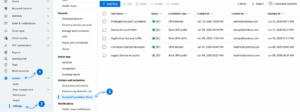
- Select Add Rule and provide a descriptive name for the rule. Use a name that clearly identifies its purpose, such as PrivilegedAccountCorrelation or RegionalDomainCorrelation, rather than a generic name such as Rule1.
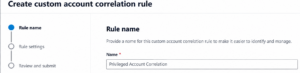
- Select the correlation type that matches your organization’s account-naming convention:
- Root UPN Prefix – for patterns that use a consistent prefix before the username.
- Root UPN Suffix – for patterns that append a consistent suffix to the username.
- Domain UPN – for associating accounts that use the same username across different domains.
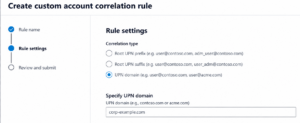
- Specify the matching values required for the selected correlation type. These values should reflect an established naming convention rather than an assumed pattern. Validate them against known accounts to ensure the rule will produce the intended relationships.
- Review the configuration before submitting it. Pay particular attention to the correlation pattern, as an overly broad rule could associate accounts that do not belong to the same identity.
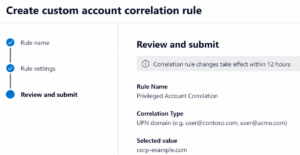
- Select Submit to create the rule.
Microsoft currently limits correlation rule names to 50 characters and applies specific character restrictions. After a rule is created, modified, or removed, the change can take up to 12 hours to take effect. This processing delay is important to keep in mind when validating a newly created rule; the absence of an immediate correlation does not necessarily indicate a configuration problem.
How to Verify Accounts Correlated by a Rule
Once the rule has taken effect, it is important to validate the accounts it has associated and confirm that the resulting relationships match the intended naming convention.
You can use Advanced Hunting with the IdentityAccountInfo table to review these relationships. The IdentityLinkType field identifies how the relationship was established, including PolicyBased for custom correlation rules, Manual for administrator-created links, and StrongId for automatic correlation based on strong identifiers.
To review all accounts associated through custom correlation rules, use:
IdentityAccountInfo
| where IdentityLinkType == "PolicyBased"
| project AccountId, AccountUpn, IdentityLinkType,
         IdentityLinkReason, IdentityLinkTime,
         IdentityLinkBy, IdentityId, IsPrimary
If you need to validate a specific correlation rule, filter the results using IdentityLinkReason:
IdentityAccountInfo
| where IdentityLinkType == "PolicyBased"
| where IdentityLinkReason == "<PolicyName>"
| project AccountId, AccountUpn, IdentityLinkType,
         IdentityLinkReason, IdentityLinkTime,
         IdentityLinkBy, IdentityId, IsPrimary
This validation is important when rules are based on broad naming patterns. A convention that appears consistent at the organizational level may still have exceptions, and an overly broad rule could create unintended relationships. Reviewing the results after creating or modifying a rule helps confirm that Defender is correlating the accounts as intended before those relationships are relied upon during security investigations.
What Happens When Accounts Are Correlated?
Account correlation gives Defender a broader identity context by associating related accounts with the same identity. This becomes particularly valuable during incident investigation, where activity from standard, privileged, legacy, or other secondary accounts needs to be evaluated as part of the same user context.
The relationship can also provide additional context when administrators take response actions such as marking an account as compromised, revoking sessions, or disabling an account. When related accounts are surfaced, security teams can assess whether the response should also extend to those accounts.
For example, if a standard account is compromised and a privileged account is already correlated with the same identity, investigators can immediately include that privileged account in their assessment. This reduces the need to discover account relationships manually and helps ensure that potentially relevant activity is not overlooked during an investigation.
Ultimately, effective account correlation helps security teams move from investigating individual accounts to understanding the complete identity behind them.