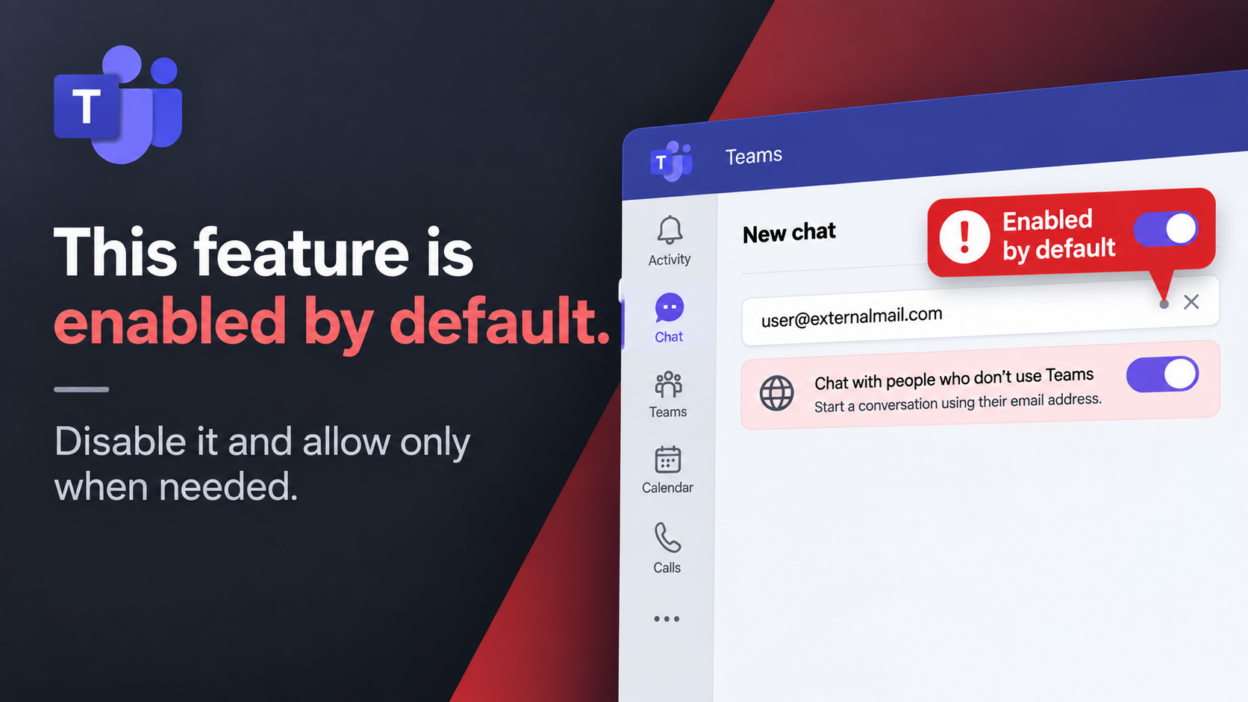
Microsoft Teams now allows any tenant user to initiate a direct chat with an external email address, even when the recipient has no Teams license, Microsoft 365 tenant, or prior collaboration relationship.
The experience for users is to enter an external email address, start the conversation, and the recipient joins through an invitation.
For organizations, however, this goes beyond a simple usability enhancement. The capability brings B2B guest identity creation directly into the standard Teams chat workflow, with broader implications for external access, identity governance, data protection, and guest lifecycle management.
Because the feature is enabled by default, admins should understand these changes before deciding whether to make the capability broadly available.
The New: ‘Chat With People Not Using Teams’ Feature
- The feature allows a Microsoft Teams user to initiate a chat with any external person who has neither a Microsoft 365 account nor an existing Teams identity.
- The external participant receives an invitation and can join the conversation without going through the conventional process of creating an unmanaged Teams account.
- Under the hood, the capability relies on Microsoft Entra B2B collaboration. When permitted by organizational policies, Teams creates a B2B guest identity for the external participant.
This makes the feature particularly useful for short-term or transactional communication with customers, vendors, partners, contractors, consultants, and other external contacts.
The external participant does not automatically gain access to the organization’s broader Teams environment. Their access remains limited to the collaboration they were invited to and any additional resources explicitly shared with them.
What has changed is the threshold for creating a guest identity. Teams now provides three distinct mechanisms for external communication, and treating them as interchangeable can lead to misconfigured policies.
How Microsoft Teams Chat With Anyone Works
This capability should not be confused with Teams External Access, commonly known as federation.
| Mechanism | Directory object created? | Governance surface |
| External access (federation) | None | No Conditional Access or sign-in log visibility for the external party |
| Guest access (teams/channels) | B2B guest, added deliberately | Full B2B governance, tied to a team or group with clear ownership |
| Teams external chat (this feature) | B2B guest, created when the first message is sent | Full B2B governance, but without a team, channel, or group association |
The distinction matters because the two models represent external users differently:
- Federation enables communication with users from external organizations through Teams’ external access model.
- The new capability uses B2B collaboration to allow the external participant to be a guest in the organization’s tenant.
An external Teams user communicating through federation does not necessarily become a guest object in the organization’s directory. With this B2B chat capability, however, the external participant can be represented by a guest identity.
Organizations should therefore evaluate this feature alongside their existing B2B collaboration policies, rather than treating it as another federation setting.
Microsoft Teams Chat With Anyone Security Risks
- B2B Guest Account Sprawl: A conventional B2B guest is typically created for a defined collaboration need. This capability can create the same guest relationship through a simple chat, potentially leaving organizations with identities belonging to temporary vendors, former contractors, customers, or contacts who no longer require access. The key concern is whether administrators can identify, review, and retire those identities when they are no longer needed.
- Phishing and social engineering. External chat introduces another channel for impersonation and fraud. Attackers could pose as trusted suppliers, customers, or contractors to deliver phishing links, malicious files, fraudulent requests, or attempts to obtain sensitive information.
- Compromised external accounts. If an external identity is compromised, an attacker may inherit whatever access that identity has. The risk increases when guests are later granted additional permissions, reinforcing the need for least privilege.
- Accidental data exposure. Employees may inadvertently share confidential information, internal documents, or customer data with the wrong recipient. DLP, sensitivity labels, and SharePoint and OneDrive sharing controls remain important safeguards.
Should Organizations Disable the Feature?
Yes. Organizations should generally disable the feature by default and enable it selectively where there is a clear business need.
The B2B implementation provides established identity and compliance controls, but enabling external chat for every user can still lead to unnecessary guest creation and complicate identity governance.
A more controlled approach is:
Disable globally → identify business groups that require external chat → enable selectively → monitor guest lifecycle
This preserves the productivity benefits for teams that regularly communicate with customers, suppliers, or consultants while limiting unnecessary external identities across the wider workforce.
The default should therefore be controlled enablement rather than unrestricted availability.
How to Disable Chat With People Who Don’t Use Teams
Organizations that do not want users initiating these conversations can disable the capability through Teams Messaging Policy.
The following PowerShell command disables the chat-based B2B invitation mechanism:
Set-CsTeamsMessagingPolicy -Identity "Global" -UseB2BInvitesToAddExternalUsers $false
The policy can also be assigned selectively, allowing organizations to keep external chat disabled for the broader workforce.
Disabling the feature only blocks the chat-based B2B invitation mechanism. It does not remove existing guest accounts, revoke their permissions, or disable other external collaboration methods.
What Security Controls Apply to Teams External Chat?
The B2B implementation means organizations can continue to apply their existing governance model to the external identity. Administrators should consider:
- B2B invitation restrictions
- Allowed and blocked external domains
- Guest access controls
- DLP policies
- Retention policies
- eDiscovery
- Auditing
- Sensitivity labels
- SharePoint and OneDrive external sharing
- Guest access reviews
- Guest expiration and removal processes
The critical point is that these controls only provide value if the organization understands which identities are being created and how they enter the tenant.
The new chat workflow makes that review more important because the business justification for a guest may be less obvious than it is for a guest created as part of a formal project or team.
Microsoft Teams Chat With Anyone vs. Shared Channels
For recurring external collaboration, organizations should consider shared channels as an alternative to external B2B chat.
Shared channels allow external participants to collaborate without creating a B2B guest object in the host tenant, with the relationship governed through Microsoft Entra cross-tenant access settings. This makes them better suited to ongoing engagements with established partners or vendors where a durable, reviewable collaboration model already exists.
External chat is better suited to ad hoc, one-off communication where creating a shared channel would be disproportionate to the requirement.
The two should not be treated as interchangeable. Their guest footprint and governance model differ, so organizations should choose the appropriate collaboration method based on the nature and duration of the engagement.
Microsoft Teams Chat With Anyone: Best Practices for Administrators
Before enabling external B2B chat for any business group, administrators should first verify that their existing guest governance can properly manage identities created through Teams conversations.
- Review Guest Access and Expiration Policies: Verify that guest expiration and access review processes include identities created through this chat workflow.
- Monitor Guest Accounts and Ownership: Ensure guest accounts have sufficient ownership and business context to determine whether continued access is justified.
- Apply Least-Privilege Access: Do not assume that a guest created through chat should receive access to additional Teams, channels, SharePoint sites, or files. Additional access should require a separate business justification.
- Monitor External Domains: Review external domains and guest identities to identify unexpected or unnecessary external relationships.
- Remove Obsolete Guest Accounts: Ensure inactive guests, former contractors, temporary vendors, and other obsolete identities are removed according to the organization’s lifecycle policies.
A guest created through a Teams conversation is still a B2B identity, but its business purpose may be less apparent than one created for a formal project, team, or SharePoint site. As a result, effective lifecycle management becomes increasingly important as adoption grows.