OneDrive is giving users more control over what gets synchronized. With the latest update, users with work or school accounts on Windows and macOS can exclude specific files from syncing to OneDrive or SharePoint. Microsoft is rolling out this capability gradually, with General Availability expected to complete in early September 2026.
The change also introduces two new policies that let administrators decide how much of this control should remain organization-managed.
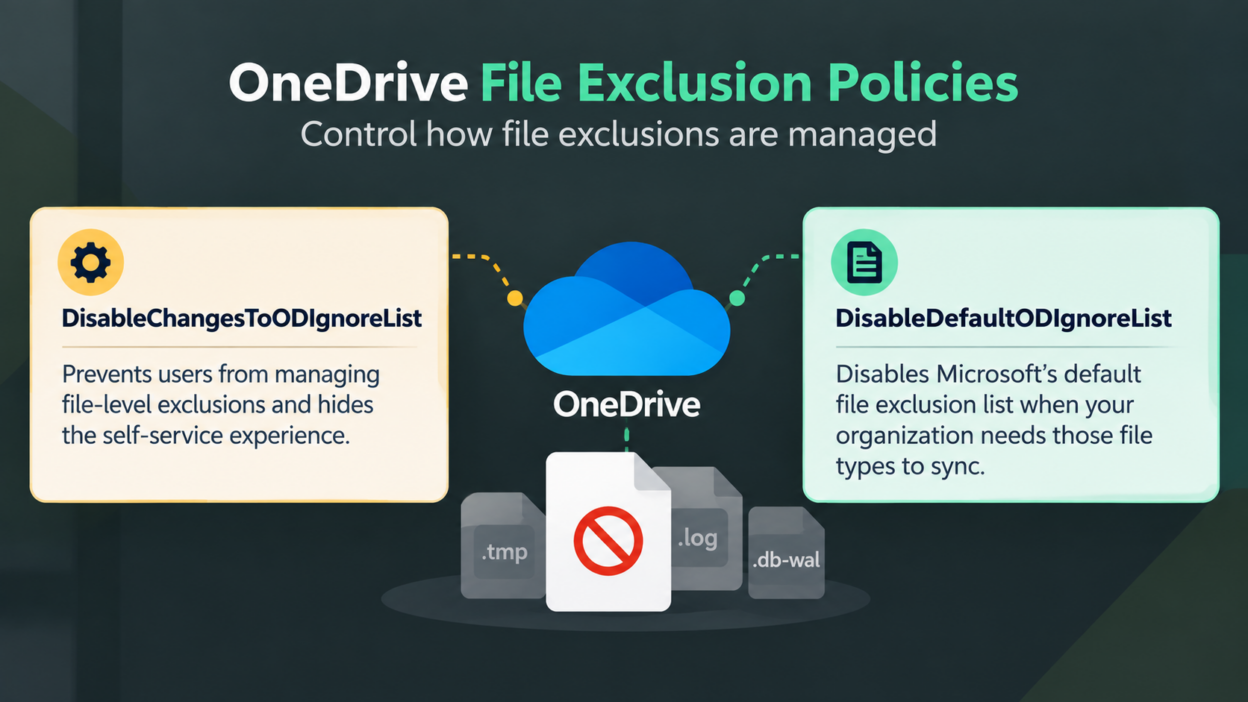
OneDrive File Exclusion Policies: DisableChangesToODIgnoreList and DisableDefaultODIgnoreList
- The first policy, DisableChangesToODIgnoreList, prevents users from managing file-level exclusions and hides the self-service controls. Organizations can use it when they want file exclusions to remain under administrative control.
- The second, DisableDefaultODIgnoreList, controls Microsoft’s built-in default exclusion list. Administrators can use this policy to opt out of Microsoft’s default exclusions when their organization needs those file types to continue syncing.
One policy governs whether users can manage file exclusions; the other governs whether Microsoft’s default exclusion list is applied.
This is separate from the existing administrator policy for excluding specific file types. Microsoft documents that policy as EnableODIgnoreListFromGPO for Windows and EnableODIgnore for Mac. Those settings allow administrators to specify file names or patterns that the OneDrive sync app should not upload.
OneDrive Adds .db-wal to the Default File Exclusion List
There is also a specific change administrators should account for. Starting October 5, 2026, Microsoft will add the .db-wal file type to OneDrive’s default exclusion list.
.db-wal files are associated with SQLite’s write-ahead logging mechanism and can change frequently while an application is working with its database. Microsoft describes them as temporary database files that are generally useful with their associated database. Excluding them is intended to avoid unnecessary synchronization of transient application data.
The change applies to newly created .db-wal files. Existing .db-wal files that are already syncing to OneDrive will not be affected.
This makes the change particularly relevant for applications that create .db-wal files inside OneDrive-synchronized locations. Organizations with workloads that require these files to sync should review those applications before the October 5 change and determine whether the default exclusion list needs to be disabled.
How to Configure OneDrive File Exclusion Policies
Microsoft’s new policies are part of the OneDrive sync client’s policy framework for Windows and macOS.
- The DisableChangesToODIgnoreList policy can be enabled when an organization wants to prevent users from managing their own file exclusions.
- The DisableDefaultODIgnoreList can be enabled when the organization needs file types included in Microsoft’s default exclusion list to continue syncing.
Microsoft’s existing OneDrive policy documentation supports management through Group Policy and administrative templates in Intune on Windows, while Mac environments can use the documented OneDrive managed preferences.
However, Microsoft’s current policy reference has not yet added the two new policy IDs to its published policy list.
For that reason, administrators should use the latest OneDrive policy templates and Microsoft’s documentation when these settings become available in their management environment rather than relying on older policy templates or assuming a specific console path.
How OneDrive File Exclusions Change for Users
By default, users can add and remove their own file-level exclusions. That does not give them authority over exclusions imposed by the organization. It specifically states that users cannot remove exclusions configured by administrators through Group Policy or other policy-management methods.
This creates two layers of control: organization-managed exclusions remain enforced, while users can manage exclusions that are within their own scope.
There is also an important boundary around folders. This release introduces user self-service for file-level exclusions; it does not introduce equivalent user self-service controls for folder exclusions. Microsoft separately documents administrator-managed folder exclusion capabilities.
What Administrators Should Review for OneDrive File Exclusions
The key question is whether user-controlled exclusions fit the organization’s OneDrive governance model.
Organizations can leave self-service exclusions enabled for greater user flexibility or use DisableChangesToODIgnoreList to retain centralized control. Workloads that require .db-wal files to sync should be reviewed before October 5, with DisableDefaultODIgnoreList enabled where necessary.
Review existing policies, test affected workloads, and deploy the appropriate controls based on organizational requirements.