
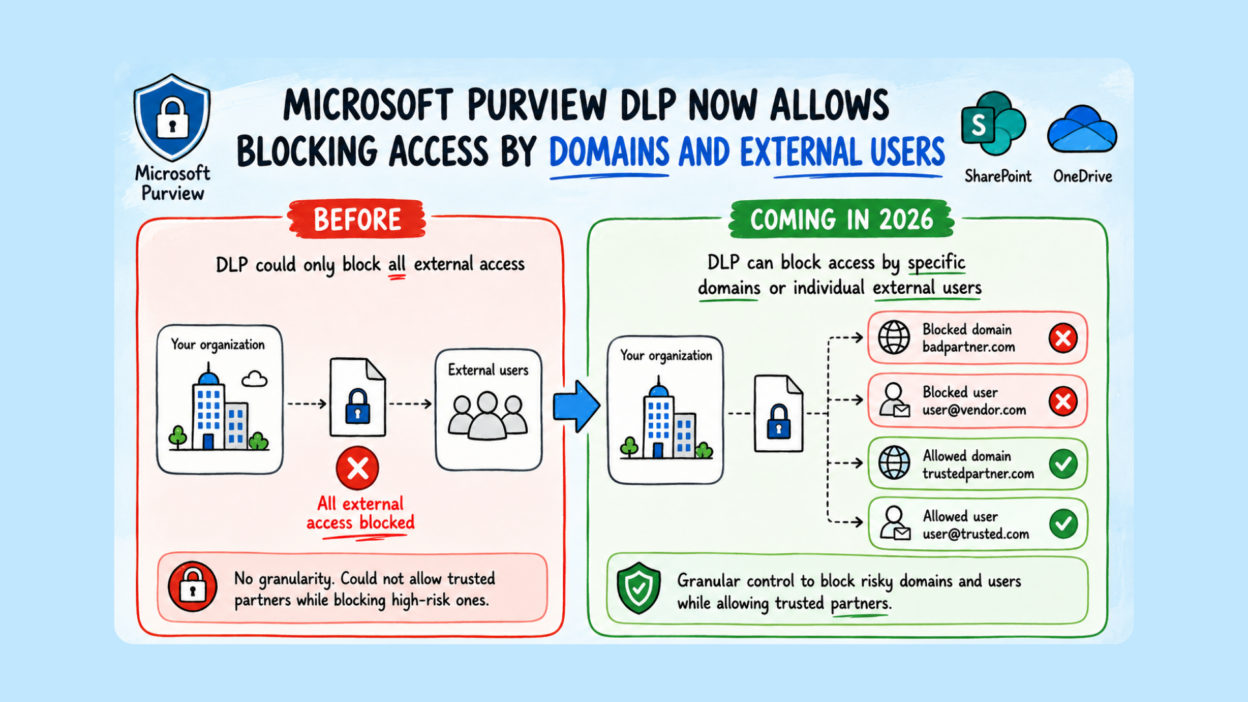
DLP is finally getting a capability many admins have been waiting for. This is really a much-needed enhancement to DLP for SharePoint Online and OneDrive.
Purview DLP External User Blocking
Microsoft Purview DLP is adding domain- and user-level blocking for SharePoint Online and OneDrive.
This means organizations will be able to block access to sensitive files based on a specific external domain or individual email address.
- Until now, controlling external access meant fairly blunt options: allow or block sharing broadly. This changes that!
- Going further, we’ll be able to configure DLP rules to explicitly block access by domain (partner.com) or by specific user (user@partner.com), and optionally set allow lists for trusted collaborators. If someone lands on both lists, the block wins.
Blocked users see an access denied message and can’t open or download the file.
The configuration is: DLP → Policies → Actions → Restrict access → Block by domain or user.
This is purely admin-driven; nothing changes unless configured. Will roll out in public preview from late May to early June, with GA in July 2026.
I feel this is highly useful for organizations that collaborate with multiple partners, vendors, contractors, or customers. Instead of broadly allowing external access, we can explicitly block high-risk domains or individual external users while continuing to support legitimate business collaboration. That’s the kind of granular control enterprise DLP should have had for a while.