
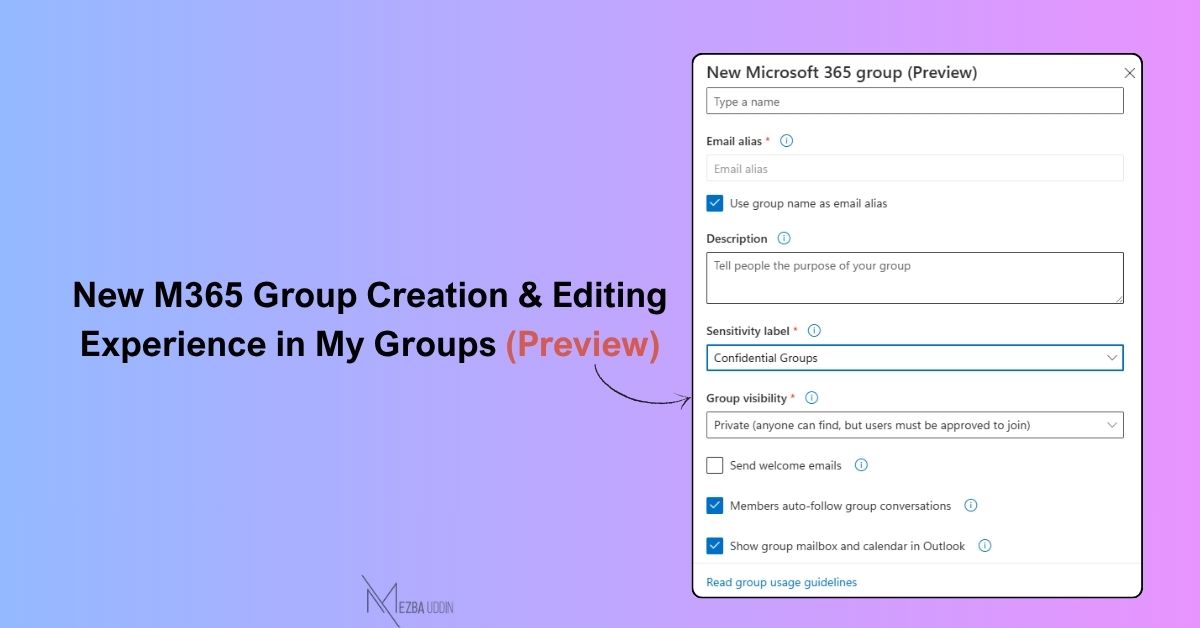
Microsoft is rolling out an improved group creation and editing experience in My Groups.
Group owners can now:
→ 𝐒𝐞𝐭 𝐞𝐦𝐚𝐢𝐥 𝐚𝐥𝐢𝐚𝐬𝐞𝐬 𝐚𝐧𝐝 𝐮𝐬𝐚𝐠𝐞 𝐠𝐮𝐢𝐝𝐞𝐥𝐢𝐧𝐞𝐬
→ 𝐀𝐩𝐩𝐥𝐲 𝐬𝐞𝐧𝐬𝐢𝐭𝐢𝐯𝐢𝐭𝐲 𝐥𝐚𝐛𝐞𝐥𝐬
→ 𝐂𝐨𝐧𝐟𝐢𝐠𝐮𝐫𝐞 𝐄𝐱𝐜𝐡𝐚𝐧𝐠𝐞 𝐬𝐞𝐭𝐭𝐢𝐧𝐠𝐬 — decide if new members get subscribed to conversations, and whether the mailbox and calendar show up in Outlook automatically
→ 𝐂𝐨𝐧𝐭𝐫𝐨𝐥 𝐰𝐡𝐨 𝐜𝐚𝐧 𝐞𝐦𝐚𝐢𝐥 𝐭𝐡𝐞 𝐠𝐫𝐨𝐮𝐩
→ 𝐄𝐧𝐚𝐛𝐥𝐞 𝐬𝐞𝐜𝐮𝐫𝐢𝐭𝐲 𝐠𝐫𝐨𝐮𝐩 𝐨𝐩𝐭𝐢𝐨𝐧𝐬
The feature is enabled by default.
Now you can set things up properly from the start instead of fixing it later.