
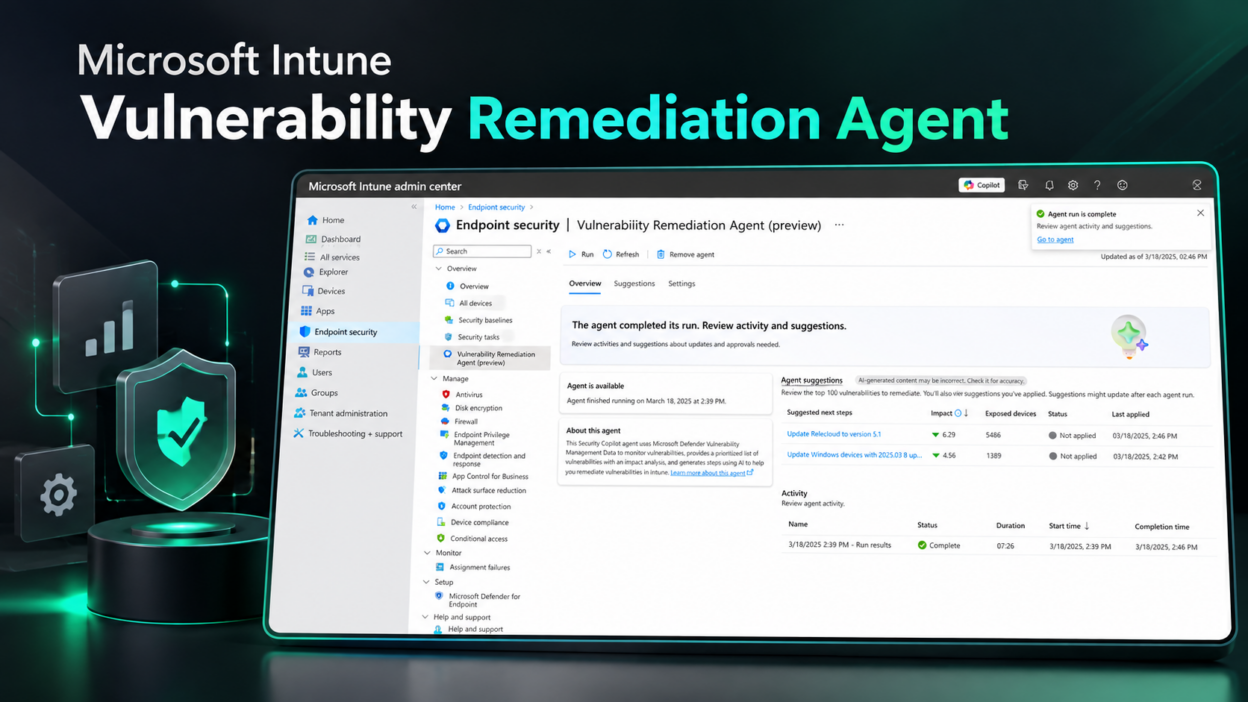
Microsoft Intune’s Vulnerability Remediation Agent, powered by Security Copilot, helps IT and security teams turn vulnerability findings into actionable remediation guidance.
Currently in public preview, the agent uses data from Microsoft Defender Vulnerability Management to identify Common Vulnerabilities and Exposures (CVEs) across managed Windows client devices and prioritize remediation. It considers factors such as CVSS severity, exposure impact, and affected device count to help administrators focus on critical risks first.
How Does the Vulnerability Remediation Agent Work?
After an agent run, administrators can review prioritized recommendations in the Microsoft Intune admin center under Endpoint security or Agents. Each suggestion includes associated CVE counts, an AI-assisted impact summary, exposed devices, and recommended next steps.
How to Remediate Vulnerabilities with Intune
The agent provides remediation guidance based on the vulnerability type:
- Application vulnerabilities: Recommend deploying an updated application version or an Intune app configuration profile to reduce security risks.
- Windows vulnerabilities: Suggest quality update policies and expedited update deployments using Windows Update rings.
- Configuration weaknesses: Recommend Microsoft Intune Settings Catalog values to help reduce the device attack surface, with references to relevant Configuration Service Provider (CSP) documentation where available.
For Windows update recommendations involving CVEs with a CVSS score of 9.0 or higher, the agent may suggest expedited deployment using Intune Expedite policies.
After implementing a recommendation, administrators can select Mark as applied to record a timestamp and track remediation history. This action does not deploy changes to devices. Subsequent agent runs can refresh recommendations as vulnerability data changes.
Requirements
Before enabling the agent, ensure your environment meets these prerequisites:
- Licensing: Microsoft Intune Plan 1, Security Copilot with sufficient security compute units (SCUs), and Microsoft Defender for Endpoint P2 or Defender Vulnerability Management Standalone.
- Plugins: Microsoft Intune and Microsoft Defender plugins enabled.
- Identity and permissions: An Entra agentic identity with the required Intune read permissions and delegated Microsoft Defender security reader-equivalent access.
- Readiness validation: Complete the Run Readiness Check after delegating the required permissions.
Limitations to Know
The public preview supports Windows client devices and apps managed through Intune. Windows Server devices, scope tags, and government clouds aren’t supported. Agent runs must be started manually and cannot be paused once underway.
Removing the agent deletes its existing suggestions, including records marked as applied. Administrators should consider this before removing and reinstalling the agent.
Set up the Vulnerability Remediation Agent: https://learn.microsoft.com/en-us/intune/copilot/agents/vulnerability-remediation-agent