
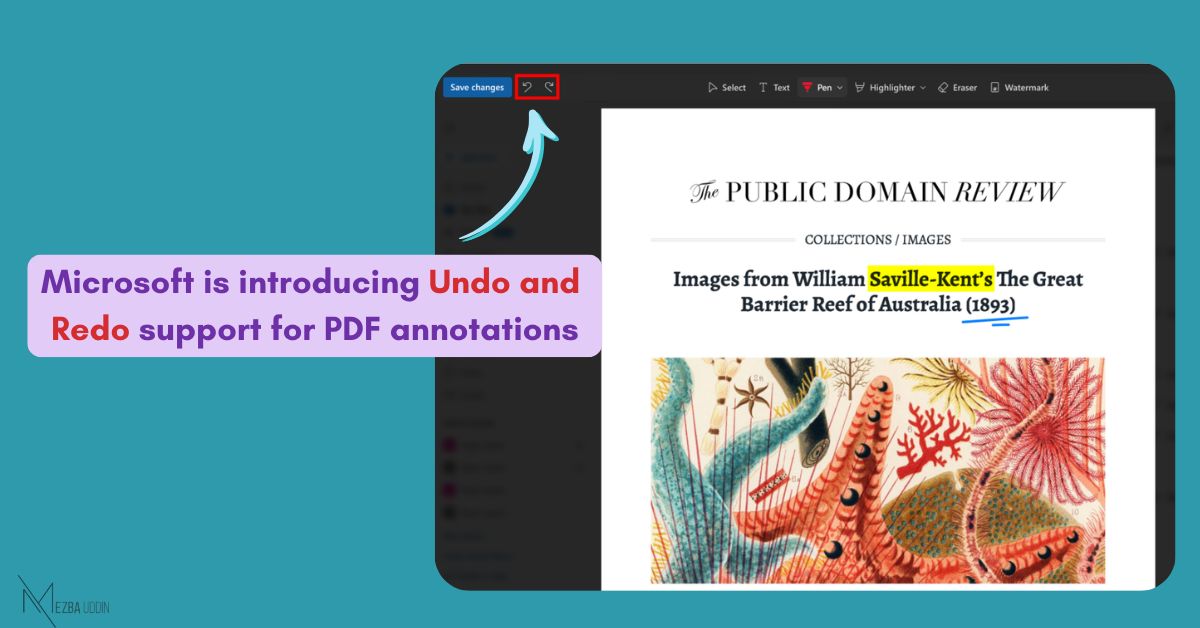
𝐌𝐢𝐜𝐫𝐨𝐬𝐨𝐟𝐭 𝐢𝐬 𝐢𝐧𝐭𝐫𝐨𝐝𝐮𝐜𝐢𝐧𝐠 𝐔𝐧𝐝𝐨 𝐚𝐧𝐝 𝐑𝐞𝐝𝐨 𝐬𝐮𝐩𝐩𝐨𝐫𝐭 𝐟𝐨𝐫 𝐏𝐃𝐅 𝐚𝐧𝐧𝐨𝐭𝐚𝐭𝐢𝐨𝐧𝐬, 𝐫𝐨𝐥𝐥𝐢𝐧𝐠 𝐨𝐮𝐭 𝐰𝐨𝐫𝐥𝐝𝐰𝐢𝐝𝐞 𝐢𝐧 𝐀𝐩𝐫𝐢𝐥 2026.
When working with PDFs in the browser, users can now undo and redo actions such as:
• Ink annotations
• Highlights
• Text notes
This brings the web experience closer to desktop and mobile, making document review more efficient.
Undo and redo can be performed using:
→ Ctrl + Z / Cmd + Z (Undo)
→ Ctrl + Y / Cmd + Shift + Z (Redo)
Users can revert multiple actions within the same editing session. The history is cleared once the file is closed or edit mode is exited.
The feature is enabled by default.