
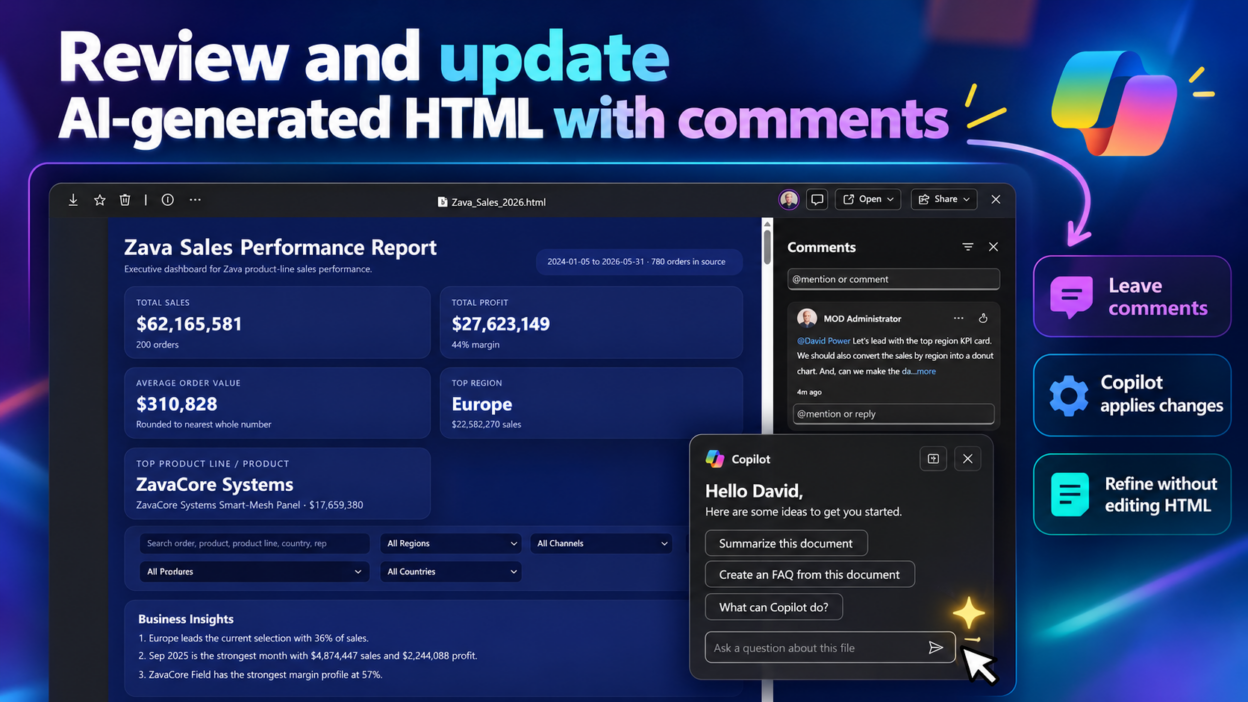
You can now Edit AI-Generated HTML with Copilot, using comments instead of prompts.
Reviewing an AI-generated webpage often involves multiple rounds of prompting to get the content, layout, and design right. Microsoft 365 Copilot offers a more direct way to refine these pages.
With the new capability, we can leave comments on generated HTML, much like reviewing a Word document, and ask Copilot to implement the requested changes.
- Identify the specific element that needs a change and leave your feedback.
- Copilot interprets your comments and updates the underlying HTML, CSS, and layout as needed.
- Check whether the changes address your feedback while keeping the rest of the page intact.
Consider this scenario: A project lead reviews an AI-generated sales dashboard and wants to highlight the top-performing region, replace a bar chart with a donut chart, and rename a section.
Instead of describing all these changes in a lengthy prompt, the reviewer can leave comments on the relevant content and ask Copilot to resolve them.
Try this prompt after leaving your comments:
Fix the issues in the comments and show me the updated version.
The technical benefit is worth noting: HTML, CSS, and layout are closely connected. Even a small visual change can require edits across multiple parts of a page. Using comments as the starting point for those edits can simplify the review process, especially for people who aren’t comfortable modifying code themselves.
This reduces the need to write technical editing prompts, but it doesn’t eliminate the need to validate the result. Reviewers should still check the updated layout, functionality, and content before publishing or sharing the page.
📌 Availability: Included with a Microsoft 365 Copilot license.
🎥 Watch the demo: https://www.youtube.com/watch?v=f6o8iz9b4WY
How does your team refine AI-generated HTML today? Do you prefer writing follow-up prompts or commenting directly on the content? 👇