
Microsoft is expanding Copilot in SharePoint with two useful capabilities that make it easier to work with data and use AI directly from SharePoint pages.
The updates focus on two simple ideas: turning existing data into live dashboards and putting ready-to-use Copilot prompts where users already work.
Create Live SharePoint Dashboards
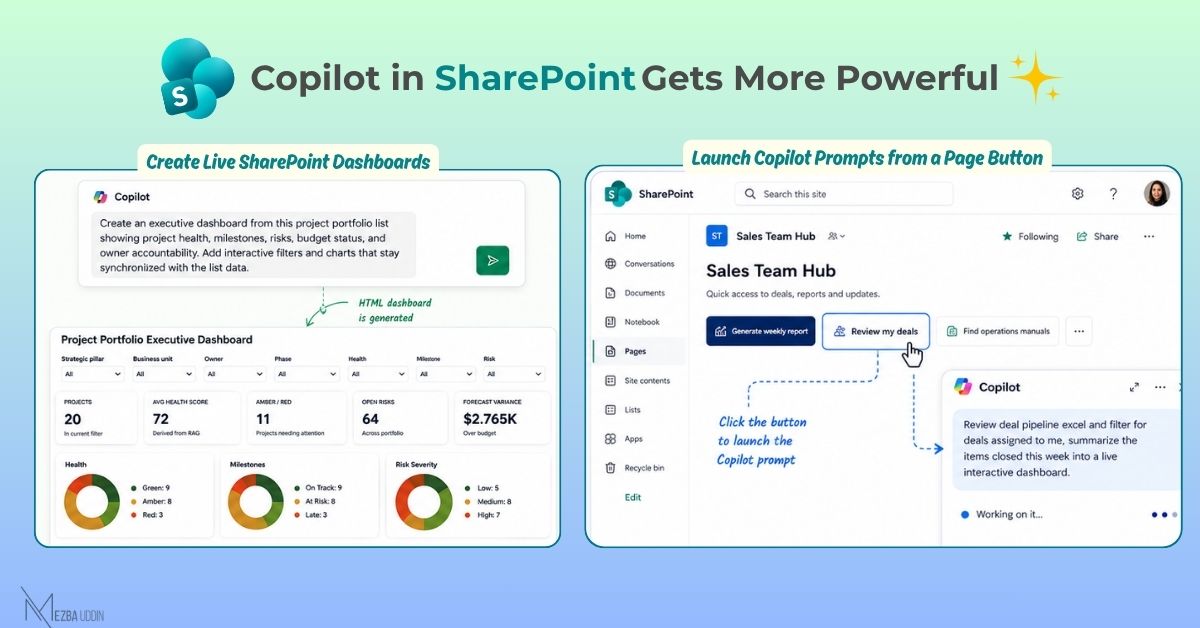
Copilot can now create interactive HTML dashboards from SharePoint Lists, Excel files, and CSV files.
Instead of exporting data, creating a report, and rebuilding it whenever the source changes, the generated dashboard remains connected to the underlying data. When the dashboard is opened, it can refresh from the source.
For example, a project portfolio list could be turned into an executive dashboard showing:
- Project health
- Milestones
- Risks
- Budget status
- Owner accountability
- Interactive filters and charts
This could make it easier for teams to turn information already stored in SharePoint into something they can quickly explore and present.
Launch Copilot Prompts from a Page Button
The second update brings Copilot closer to the SharePoint page itself.
Admins can add a button to a SharePoint page and connect it to a custom Copilot prompt. Users can then launch that prompt with a single click instead of figuring out what to type.
For example, a sales team could have a “Review my deals” button that launches a prompt to filter the deal pipeline and summarize recently closed items.
Other examples could include:
- Generate weekly report — summarize recent activity
- Draft status update — create a project update from recent changes
- Find operations manuals — surface relevant documents
- Review my deals — analyze items assigned to the current user
The advantage is not just convenience. The right prompt can be placed exactly where it is relevant, helping users discover and consistently use Copilot without having to remember specific prompts.
What This Means for SharePoint
These updates move Copilot beyond being something users open separately and ask questions to.
With live dashboards, SharePoint data can become an interactive reporting experience.
With page buttons, specific Copilot actions can become part of the SharePoint page itself.
Together, they make SharePoint a more interactive workspace where data, insights, and AI-powered actions are available closer to where people already work.