
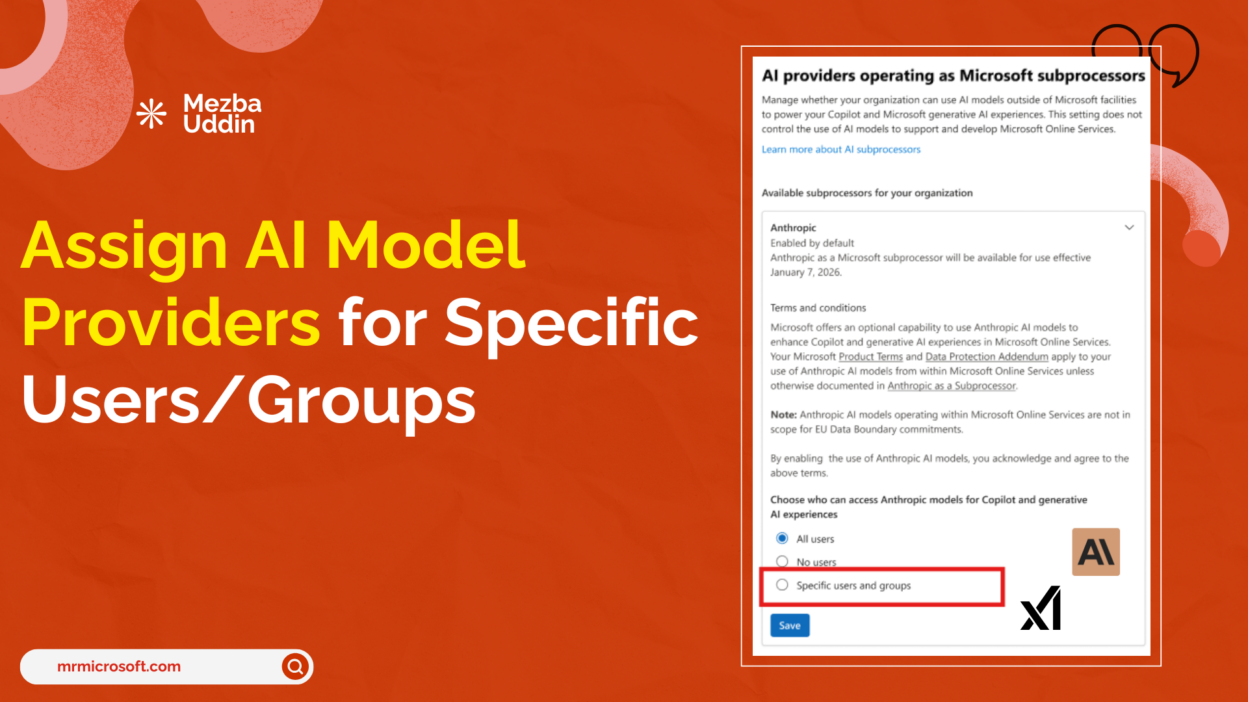
Until now, enabling Anthropic or xAI in Microsoft 365 Copilot was a tenant-wide decision. You either turned it on for everyone, or you didn’t.
That’s a hard ask when legal, compliance, and HR teams have different risk tolerances than your engineering org.
However, from late April 2026, admins will be able to assign third-party model providers directly to specific users or Entra ID groups from the Microsoft Admin Center.
- Up to 999 users and groups, nested groups supported, enforced consistently across PPAC and Copilot Studio.
- Control it centrally across Admin Center, PPAC, and Copilot Studio
- Align access with internal governance policies
What this really unlocks is staged, intentional AI adoption.
- You can exclude regulated business units from third-party subprocessors without blocking everyone else.
- You can align model access with the same security groups you already use for data governance, no new identity infrastructure required.
- Note this point: this setting applies at the provider level, not the individual model level.
If I were advising an admin team, I’d say, start narrow, document the business justification for each group you include, and expand from there. Your compliance team will ask for it sooner than you expect.
More info here: https://admin.cloud.microsoft/?#/MessageCenter/:/messages/MC1263276