
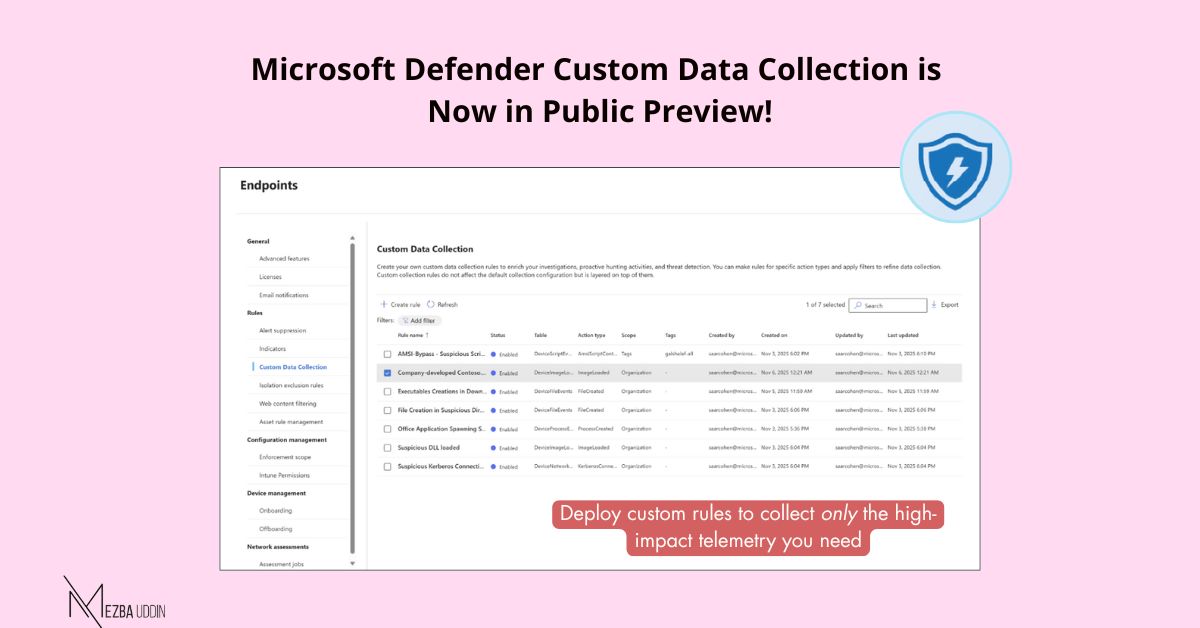
A long-awaited level of flexibility for defenders is finally here in Microsoft Defender for Endpoint.
Until now, you could only rely on Microsoft’s default telemetry. Now, security teams can choose exactly what extra telemetry they need – focused, filtered, and aligned to their environment.
With custom data collection rules, you can capture targeted events such as:📌 Specific folders or file paths
📌 Process and command-line activity
📌 Network connections and ports
📌 Any other event properties tied to risky behavior
How to get started:
1. Go to Defender portal → Settings → Endpoints → Rules → Custom Data Collection
2. Pick the event table and add your filters
3. Apply rules to devices using dynamic tags
4. Deploy and monitor collection
Requirements
– Microsoft Defender for Endpoint P2
– Connected Microsoft Sentinel workspace (for storing/querying data)
– Limit of 25,000 events/day per device per rule
– Sentinel ingestion billing applies