Tenant sprawl is one of those problems enterprise IT quietly tolerates because there hasn’t been a clean way to solve it.
Microsoft is now doing something about it and announced that Microsoft Entra Tenant Governance is in public preview.
This provides centralized visibility and control for organizations operating across multiple Entra tenants. The capability lands in the Microsoft Entra admin center. It directly addresses one of enterprise identity management’s most persistent blind spots: organizations running Microsoft services across dozens of tenants with no unified view of what’s happening, let alone how to govern it.
The Unified Tenant Configuration Management (UTCM) engine that powers drift detection was announced separately, but this is what completes the story. Governance doesn’t start with monitoring. It starts with identifying which tenants exist in your ecosystem, and this feature handles both ends of that journey.
What is Microsoft Entra Tenant Governance?
Most organizations don’t have one tenant; they have many. Some were set up intentionally. Others came in through acquisitions. A few were created by employees who needed a sandbox and never looked back. The result is a fragmented ecosystem of tenants that IT is expected to keep secure, compliant, and consistent, often without a clear view of what’s out there.
Tenant Governance is Microsoft’s answer to that.
It serves as a central control layer, not only for the tenants you actively manage today, but also for the broader tenant ecosystem connected to your organization through identity activity, applications, billing, or simply because a user created one.
The feature is organized around four pillars that build on each other:
- Related Tenants surfaces what’s out there,
- Governance Relationships establishes how you administer them,
- Configuration Management keeps them compliant, and
- Secure Tenant Creation ensures new tenants don’t slip through the cracks the moment they’re born.
⚠️ Currently in Preview. Requires a Microsoft Entra ID Governance or Microsoft Entra Suite license.
Pillar 1: Related Tenants – Signal-Based Tenant Discovery in Entra
Everything starts with a question that sounds simple but rarely has a clean answer in large organizations:
👉 What tenants are actually connected to us?
Tenant Governance answers that using signal-based discovery. Instead of requiring you to declare which tenants you’re affiliated with manually, Tenant Governance automatically discovers related tenants through signal-based analysis. Three discovery signals power this:
B2B Collaboration Signals: These identify relationships based on cross-tenant identity interactions: guest user sign-ins, inbound and outbound B2B registrations, and administrative access. If another tenant’s users are regularly signing in to yours, or vice versa, it shows up here.
Multitenant Application Signals: These surface tenants that interact with yours through registered applications. A SaaS provider whose app has permissions in your tenant, or an internally built multitenant application consumed across tenants, both appear here, with associated usage metrics.
Shared Billing Account Signals: These connect tenants that share a commerce billing account with yours. This is particularly valuable for identifying tenants within your organization’s billing umbrella who operate independently.
What comes out of this isn’t a compliance verdict; it’s a map. You see which tenants are connected, how they’re connected, and how active those connections are. From there, the call is yours: govern it, monitor it, or leave it alone. Discovery informs the decision. It doesn’t make it for you.
Pillar 2: How Governance Relationships Enable Cross-Tenant Administration
Once you’ve identified which tenants need governance, the next question is:
👉 How do you manage them without owning them?
You can’t just log into every tenant, and you shouldn’t rely on local admins everywhere.
Governance Relationships solve this.
A governance relationship is a directional link between a governing tenant (the one you operate from) and a governed tenant (the one you need to manage).
Administrators use their home tenant credentials to perform tasks in governed tenants, with least-privilege access defined upfront through policy templates. No local accounts and no ad-hoc permissions.
In simple terms, you create a governing tenant that can manage other tenants in a controlled manner.
How the Relationship Gets Established
The process follows a structured three-step handshake.
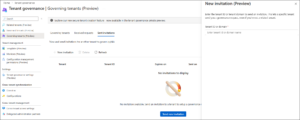
- The future governing tenant sends a governance invitation to the future governing tenant.

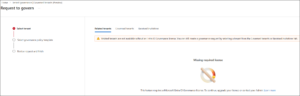
2. The governing tenant responds with a governance request, selecting a policy template that defines the permissions requested.
3. The governed tenant reviews and accepts the request, establishing the relationship.
One useful shortcut: tenants that already share a billing account can skip the invitation step entirely, which applies to parent-subsidiary structures.
Tenant Governance supports flexible relationship topologies:
- One-to-many: A single governing tenant can manage multiple governed tenants, the standard centralized model.
- Many-to-one: Multiple tenants can govern a single tenant, for shared oversight scenarios.
- Multi-tier is not supported: A tenant that is being governed cannot simultaneously govern another tenant. Governance chains don’t exist by design.
Pillar 3: Configuration Management in Microsoft Entra
This is the part of Tenant Governance that will matter most to security and compliance teams.
The premise is straightforward: define what a correctly configured tenant looks like, then let the platform tell you when something has moved away from that. What makes it powerful is the execution: it is Unified Tenant Configuration Management (UTCM) under the hood, running continuously across every tenant you govern.
Previously, detecting a changed security setting in a governed tenant meant either stumbling upon it in audit logs or relying on someone to notice. Neither is a strategy. UTCM replaces that with automated monitors that check every six hours, catching drift before it becomes a compliance gap.
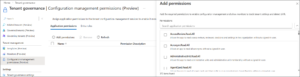
How UTCM Detects Configuration Drift in Entra
Step 1 — Define a Configuration Baseline: A baseline is a JSON document describing the desired state of your tenant resources. Think of it as your written definition of “correctly configured.”
- Want to ensure a specific Conditional Access policy exists with defined included groups and excluded users? That goes in the baseline. Baselines can include over 200 resource types spanning six Microsoft services: Entra, Intune, Exchange Online, Teams, Purview, and Defender.
- Not sure where to start? Take a configuration snapshot of a tenant that’s already configured correctly and use that snapshot as the foundation for your baseline. Snapshots are also useful for audit purposes, documenting the exact state of a tenant at a point in time.
Step 2 — Create a Monitor: A monitor points at your baseline and runs on a fixed schedule. Every six hours, it pulls the live state of your tenant resources and compares them against what the baseline defines. No manual triggers, no scripts to maintain.
Step 3 — Review Drift Reports: When the actual configuration diverges from the baseline, Tenant Governance reports a configuration drift. Each drift object is specific; it tells you exactly which resource is affected and which properties have drifted from their defined values. Once you remediate a drift, the next monitor execution automatically marks it as fixed.
The snapshot capability quietly solves another problem worth mentioning: audit preparation. Instead of scrambling to reconstruct tenant configuration history before a review, you can generate a timestamped, structured snapshot on demand, a clean record of exactly what the tenant looked like at a given point in time.
Pillar 4: Secure Tenant Creation in Entra
Discovery, relationships, drift detection — everything covered so far assumes the tenant already exists. But some of the messiest governance problems don’t come from tenants you inherited. They come from tenants that get created tomorrow.
An employee might create a new tenant for a project. They use a company billing account, build something in it, and six months later, they’re gone. IT is now trying to recover access to a tenant they didn’t know existed, with no admin accounts they control and no record of what’s configured inside it. It’s a scenario that plays out more often than most organizations would like to admit.
Secure Tenant Creation closes that gap before it opens. When a new add-on tenant is created, Tenant Governance automatically establishes a governance relationship between the parent tenant and the new one, no manual setup, no waiting for IT to find out about it. The new tenant is governed from the moment it exists.
Two additional controls reinforce this.
- Administrators can restrict who can create new tenants by managing access to commerce billing accounts, which prevents uncontrolled sprawl at the source.
- And if the worst happens, the last local admin leaves, or an account is compromised, the Microsoft Entra asset in the billing account provides a recovery path back into the tenant without relying on credentials that may no longer be accessible.
Together, these capabilities shift the posture from chasing problems after the fact to preventing them by design.
How to Implement Tenant Governance in Entra?
Getting started is straightforward.
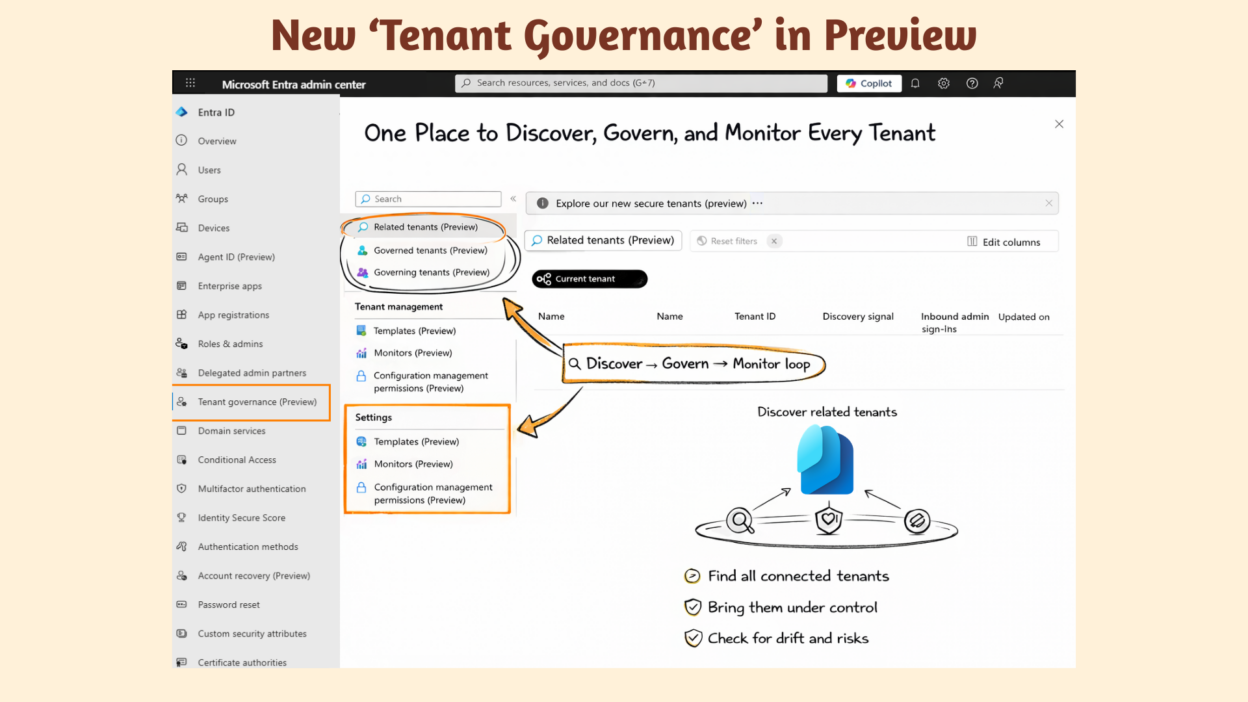
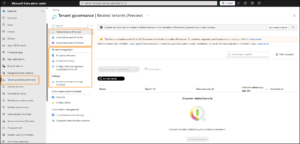
- Sign into the Microsoft Entra admin center as an administrator with the appropriate roles and head to the Tenant governance page.
The left navigation panel, visible in the UI screenshot above, puts everything in one place:
- Related Tenants — View discovered tenants connected to your environment
- Governed Tenants — Tenants you currently administer
- Governing Tenants — Tenants that govern yours
- Templates — Governance policy templates for consistent relationship setup
- Monitors — Configuration drift monitors across governed tenants
- Configuration Management Permissions — Control what the monitoring service can read
Tenant Governance Licensing
Tenant Governance ships at two service levels, depending on what your organization needs:
- Tenant Governance Basic — Core discovery and visibility. A good starting point for organizations that want to map their tenant ecosystem before committing to full governance.
- Tenant Governance Premium — The full stack: configuration management, governance relationships, and secure tenant creation.
One thing worth noting: the configuration management APIs are generally available, while the rest of the Tenant Governance experience remains in preview. That said, Microsoft Customer Support for production use fully supports all capabilities, so the preview status here doesn’t indicate experimental status.
You’re not managing one tenant anymore!
Multi-tenant management has long been fragmented and largely manual. Different configurations across tenants, unknown affiliations, and no central oversight mean most organizations have learned to live with the risk rather than address it.
Tenant Governance changes that calculus. Whether your tenant sprawl came from acquisitions, shadow IT, or just years of decentralized growth, you now have a single place to see it, govern it, and keep it in check, continuously, not just when something breaks.
The preview is live. If you’re running multiple tenants today, it’s worth taking a close look.
📌 Requires Microsoft Entra ID Governance or Microsoft Entra Suite license. Feature currently in Preview.
🔗 Official documentation: https://learn.microsoft.com/en-us/entra/id-governance/tenant-governance/overview