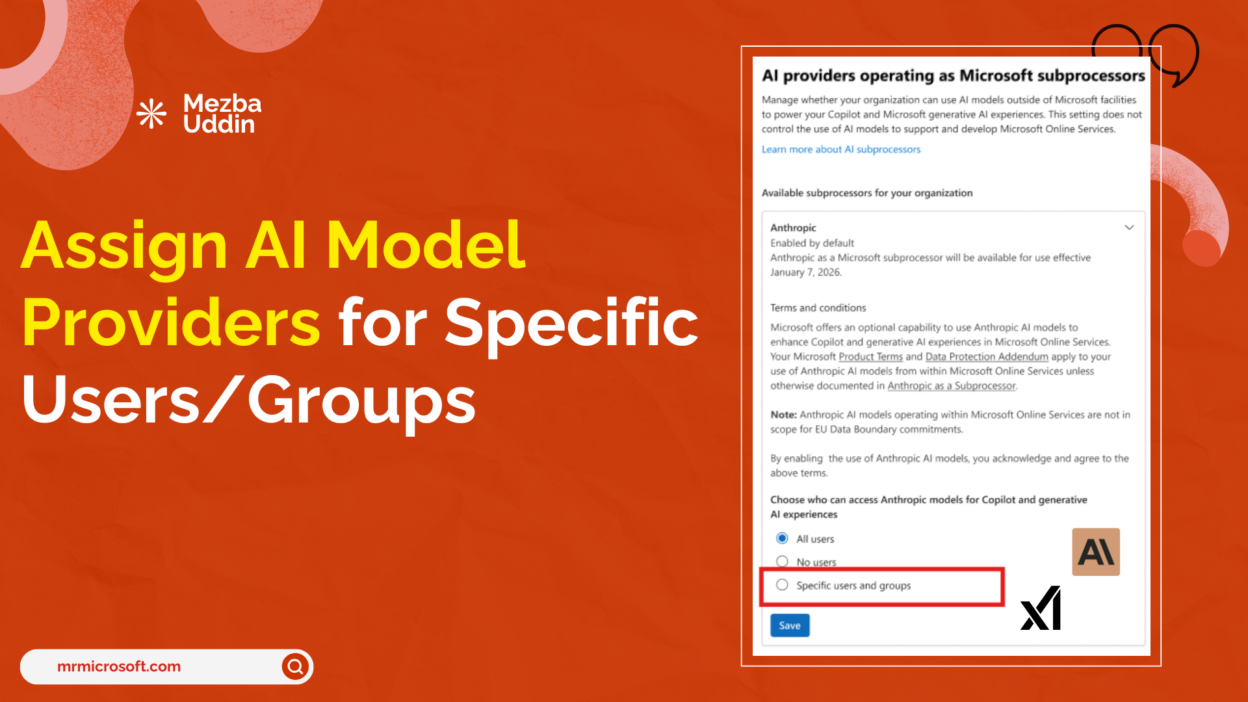
Microsoft is bringing granular access control to third-party AI model providers in Microsoft 365 Copilot. Starting late April 2026, IT admins will no longer be forced to make a tenant-wide all-or-nothing decision when enabling Anthropic’s Claude or xAI’s Grok inside Copilot. Instead, they’ll be able to assign access to specific users or Entra ID groups directly from the Microsoft 365 Admin Center.
For organizations managing mixed risk environments — where legal, compliance, and HR teams operate under stricter data obligations than engineering or product teams — this is a governance capability that has been a long time coming.
Before and After: How Third-Party AI Model Access Works in Microsoft 365 Copilot
Until now, enabling third-party AI model providers in Microsoft 365 Copilot was a binary decision. We turned it on for the whole tenant, or we didn’t. That created a difficult tradeoff: block everyone to protect your regulated teams, or accept organization-wide exposure to manage a small subset of users with higher risk tolerance.
The new controls change that equation entirely.
From late April 2026, Microsoft 365 admins will be able to:
- Assign third-party model provider access to specific users or Entra ID groups
- Support up to 999 users and groups per provider, with nested groups included
- Enforce settings consistently across the Microsoft 365 Admin Center, Power Platform Admin Center (PPAC), and Copilot Studio
This moves Microsoft 365 Copilot governance from a single dial to a scoped, policy-driven model — much better suited to enterprise complexity.
The Business Case for Group-Level AI Model Control in Microsoft 365 Copilot
The ability to scope Microsoft 365 Copilot third-party AI model access at the group level isn’t just a convenience feature. It directly addresses one of the most common barriers to Copilot adoption in regulated industries.
Regulated business units can be excluded without blocking others. Teams in financial services, healthcare, or government-adjacent functions that face strict subprocessor restrictions can be kept off third-party providers while the rest of the organization moves forward.
No new identity infrastructure is required. The feature works with the Entra ID security groups organizations already use for data governance, DLP policies, Conditional Access, and SharePoint permissions. Admins can reuse existing group structures rather than building parallel access management.
Access aligns with internal governance policy. Rather than a blanket decision, organizations can document business justifications per group — exactly the kind of audit trail compliance and legal teams will ask for.
One important detail to note: this setting applies at the provider level, not the individual model level. Enabling Anthropic gives users access to Anthropic’s Claude models; it doesn’t allow per-model scoping within that provider.
The Anthropic + xAI Integration in Microsoft 365 Copilot
For admins evaluating whether and how to enable third-party providers, understanding how each is integrated matters.
Anthropic operates as a formal Microsoft subprocessor. This means Claude model usage inside Microsoft 365 Copilot, Copilot Studio, Power Platform, Researcher, and the Word, Excel, and PowerPoint agents falls under Microsoft’s Product Terms and Data Protection Addendum — not Anthropic’s separate commercial terms. Enterprise Data Protection applies. The Microsoft Customer Copyright Commitment applies.
For most commercial cloud tenants outside the EU/EFTA and UK, Anthropic is enabled by default. EU/EFTA and UK tenants are off by default and must explicitly opt in. Government clouds, GCC, GCC High, and DoD are excluded entirely pending FedRAMP certification.
xAI operates differently. Grok models are hosted outside Microsoft’s infrastructure and are subject to xAI’s own terms and data handling policies. Admins enabling xAI access should factor this distinction into subprocessor risk assessments and document it accordingly.
How to Roll Out Third-Party AI Model Access in Microsoft 365 Copilot
When these controls go live in late April 2026, the right approach is to start narrow and expand deliberately.
- Start with a pilot group with lower regulatory exposure and a clearly defined use case. Pick a team with an active need — developers building Copilot Studio agents, for instance — before expanding to broader user populations.
- Document the business justification for every group you include. Compliance teams will ask for it. Building the habit from day one is far easier than reconstructing rationale after the fact.
- Use your existing security group structure. If your org already has Entra ID groups aligned to data classification or compliance tiers, those same groups can drive Copilot third-party access scoping — no new group management overhead.
- Plan for the provider-level granularity. Since the setting applies at the provider level, not per model, think in terms of which providers each team’s workflow and risk profile can support, rather than trying to curate individual model access.
Prepare Your Third-Party AI Model Access Strategy
If you manage Microsoft 365 Copilot in your organization, use the time before the late April 2026 rollout to:
- Identify which business units have subprocessor restrictions that would prevent enabling Anthropic or xAI
- Map those units to existing Entra ID groups or plan new ones
- Draft a governance policy for how group-level AI model access will be approved and documented
- Review the Microsoft documentation on Anthropic as a subprocessor and the Copilot Studio external model controls
The infrastructure for staged, intentional AI adoption is arriving. Whether organizations use it well depends on how much governance groundwork they lay before the feature lands.