
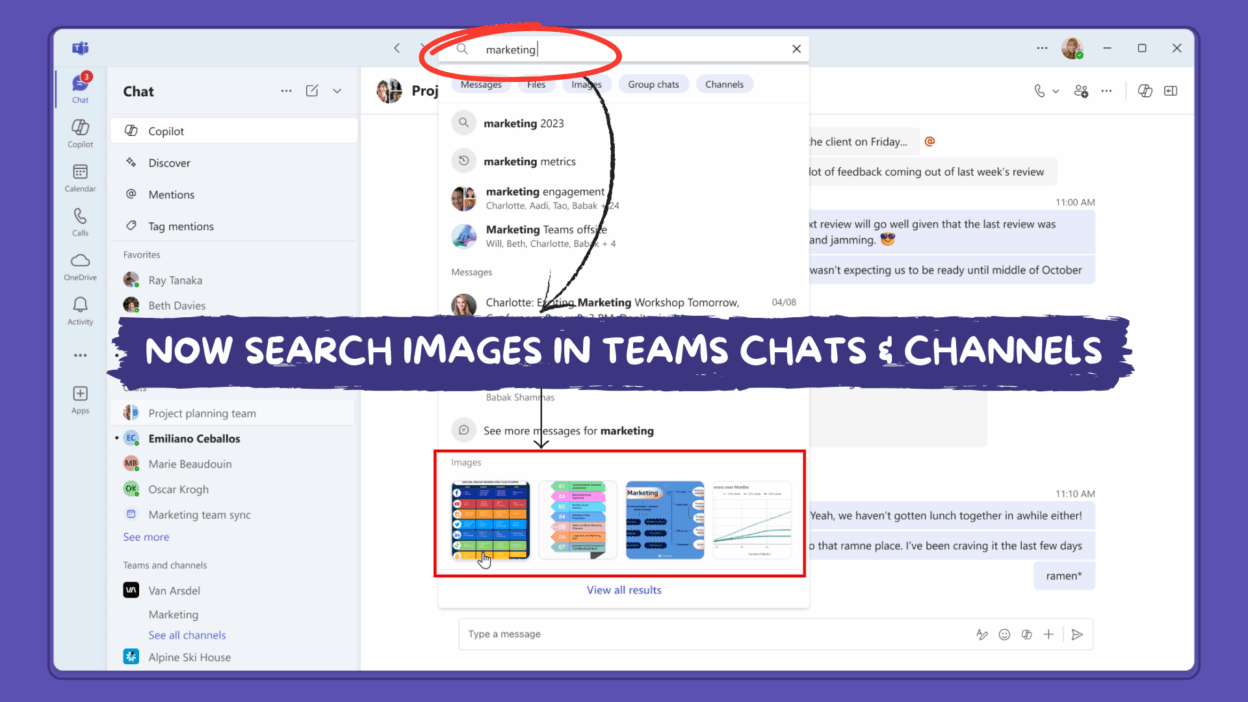
Microsoft Teams is introducing Image Search! Further, we can search for images shared in chats and channels just like searching for messages. Whether it’s a whiteboard photo, screenshot, or design mockup, you can now locate it effortlessly.
- Image results in Autosuggest – Start typing a keyword or name, and Teams will show image suggestions instantly.
- Images filter – You can now focus your search on just images (even works in zero-query mode!).
- Images tab in Search Results – View all image results in one place, along with the message and chat/channel they came from for better context.
- Lightbox carousel – Click on an image to open a full view and browse through related visuals easily.
One small note: image search doesn’t yet support text inside images (OCR), so your meme text is safe… for now . The rollout starts in November 2025 and will gradually reach all environments (Worldwide, GCC, GCC-H, and DoD) by mid-December.