
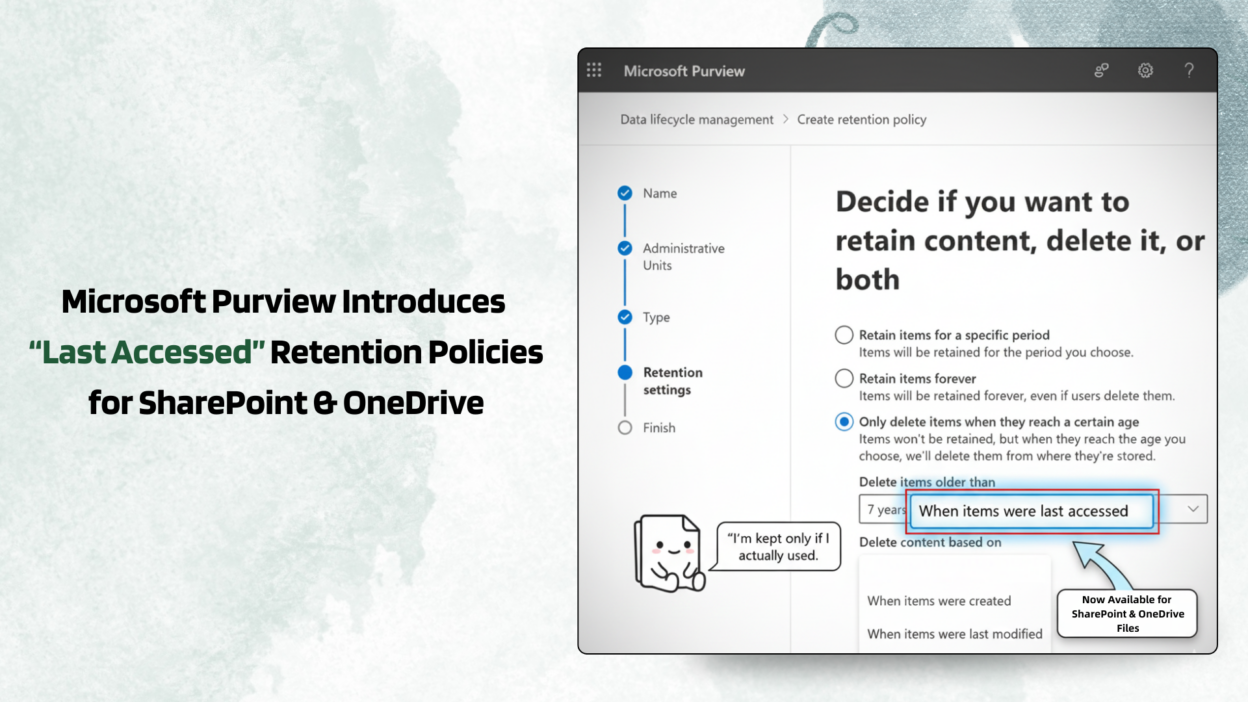
This is something I’ve always wanted when creating retention policies, and Microsoft Purview has finally brought this one.
Soon, retention policies for OneDrive and SharePoint won’t rely only on created or modified dates.
We’ll be able to apply retention based on “last accessed” too.
That’s a big deal, because a lot of tenant data isn’t old; it’s just never touched again! These stale files quietly bloat storage, expand retention scope, and even pollute Copilot context. Until now, admins were stuck choosing between over-retaining data or doing manual cleanups. Neither is a great option. But this new ‘when items were last accessed’ makes it easier.
- Files not accessed by anyone for a defined period can be automatically deleted. (via retention policy)
- It works for Microsoft 365 file types (Word, Excel, etc.)
- Support for non-M365 files will come later
But we’ll need to wait a bit, because it will be available only from Late June 2026.
One important thought before celebrating: “Last accessed” is powerful, but also dangerous if applied blindly. Service accounts, background processes, and automated processes can all update access timestamps, which may not reflect real human usage. Policy design will matter a lot here.
Would a “last accessed” policy help clear the clutter in your office, or do you prefer keeping everything?