
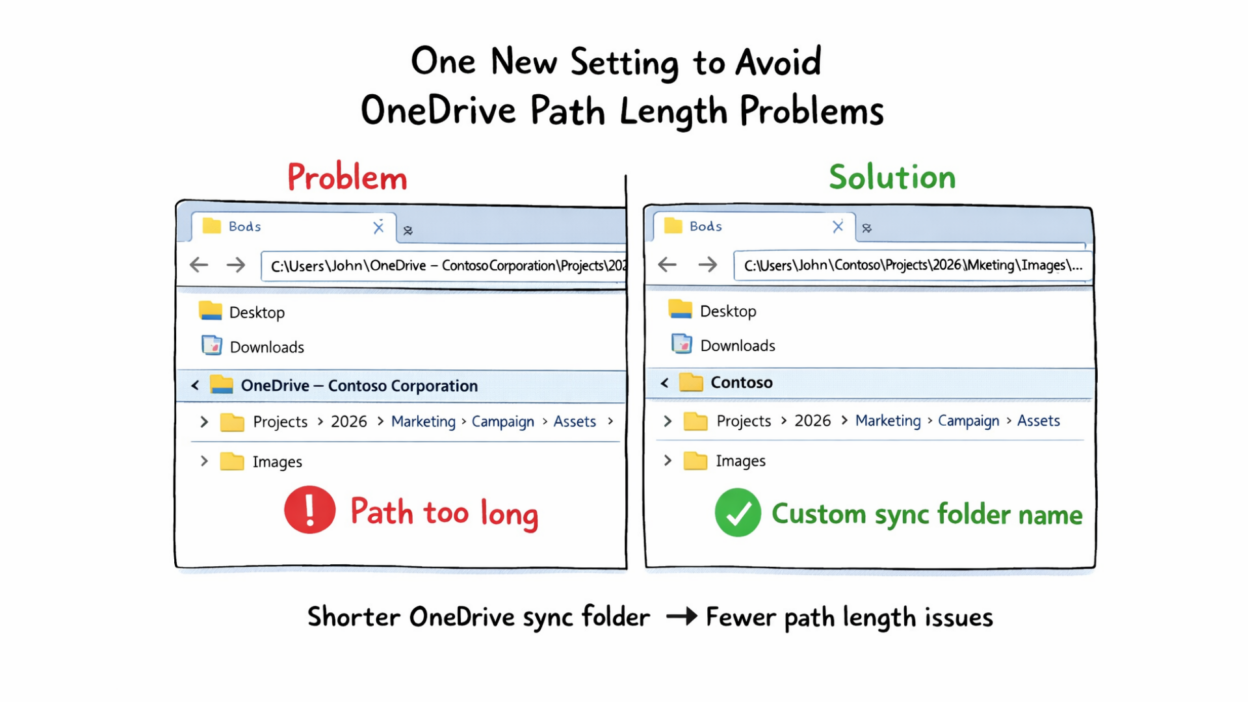
This is something I wish had existed years ago.
If you’ve worked with deeply nested folders in OneDrive sync, you’ve probably hit the Windows path length limit at some point. And one of the reasons it happens sooner than expected is the default sync folder name:
“OneDrive – Organization Name.”
Microsoft is finally fixing this. Admins can now set a custom name for the local OneDrive sync folder on Windows devices using a new policy called CustomSyncRootFolderName.
The idea is simple: choose a shorter folder name so the overall file path doesn’t grow unnecessarily long.
- This only affects the local sync folder name on Windows.
- New users will automatically get the new folder name when they set up OneDrive sync.
- Existing users will need to unlink and relink OneDrive for the change to apply.
- The name shown in File Explorer navigation and the OneDrive UI will remain the same. Only the local folder path changes.
- The setting is optional, so admins have to configure it manually.
If you manage environments where users sync deep folder structures, this can be really helpful.